Online galleries for photographers with image selection and sales

After the photoshoot
it carries on.

Deliver finished images, agree on selections and editing requests, and sell additional shots. ADON FotoBusiness connects your galleries with client management.

No credit card. No automatic paid subscription.

The photos are ready. What now?

Your clients choose, leave wishes and buy more photos.

The online galleries2:45 min · English narration
What's possible in a gallery

Three galleries

You decide per gallery what your clients can do there, from viewing to buying.

The protection

You secure the gallery with a PIN; in the selection and purchase gallery and the shop gallery a watermark protects the previews.

The selection

You get favourites and retouching wishes on the right photo, not as a message with file names.

The look

You choose theme, colours, cover and welcome text, and the gallery adapts to phone and laptop.

In detail

Three gallery types for three situations

After the photoshoot you want to deliver finished images, agree on an editing selection or sell more photos. ADON FotoBusiness offers three gallery types for this. You decide which one when you create the gallery, so your client gets exactly the options that fit the job.

The three gallery types compared
GalleryTypical useWhat the client does
Delivery galleryDeliver finished, already paid imagesDownload images in full resolution
Selection and purchase galleryAgree on favourites and editing requestsSelect, leave requests, pay for agreed services
Shop gallerySell additional images and image packagesSelect images, pay and download released files

The delivery gallery: finished images in full resolution

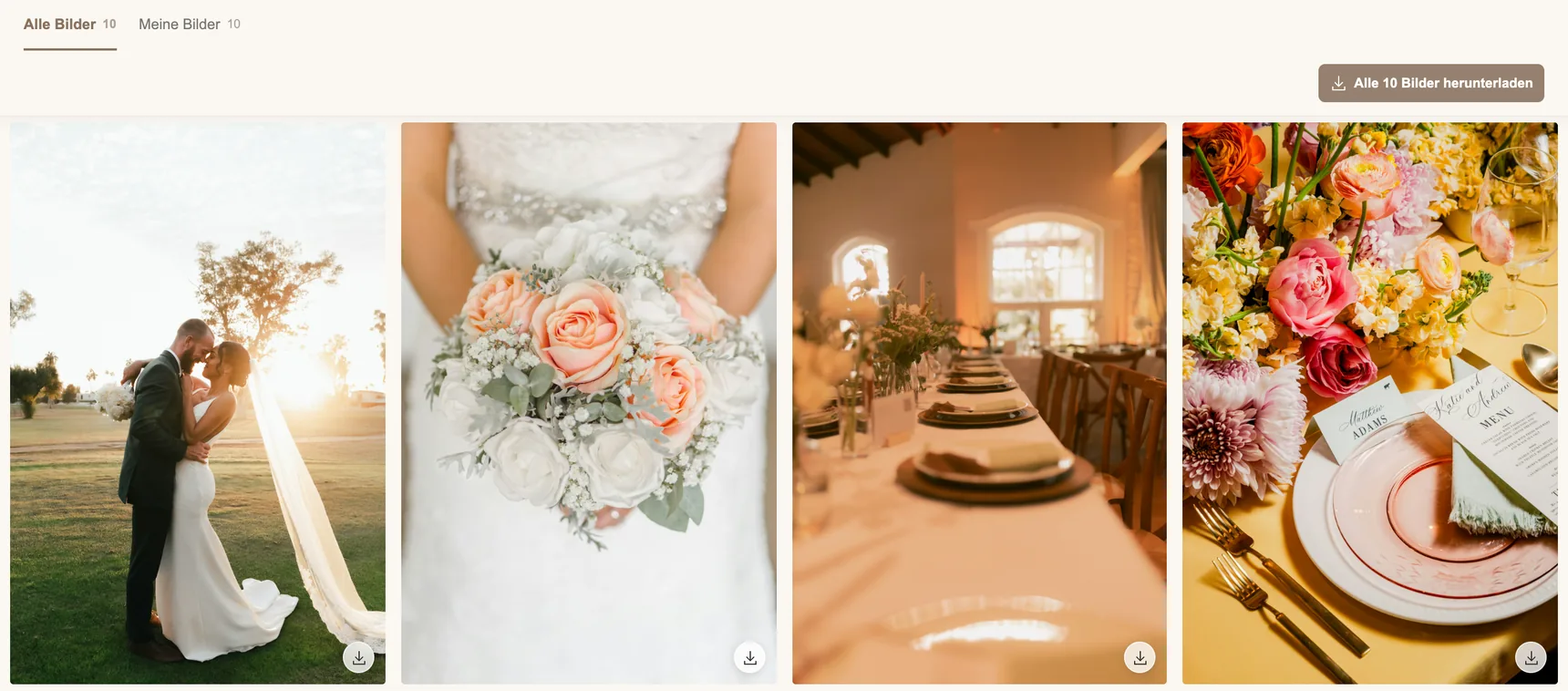
The delivery gallery is for finished, already paid images. Your client receives the photos without a watermark and downloads them in full resolution. You choose a design, style the gallery for your studio and send it straight to your client. Everything is in one place instead of scattered across files and messages.

Delivery gallery with released photos and the button to download all 10 images
What your client sees in the delivery gallery · sample data · interface shown in German

Image selection with clients: favourites and retouching requests on the right photo

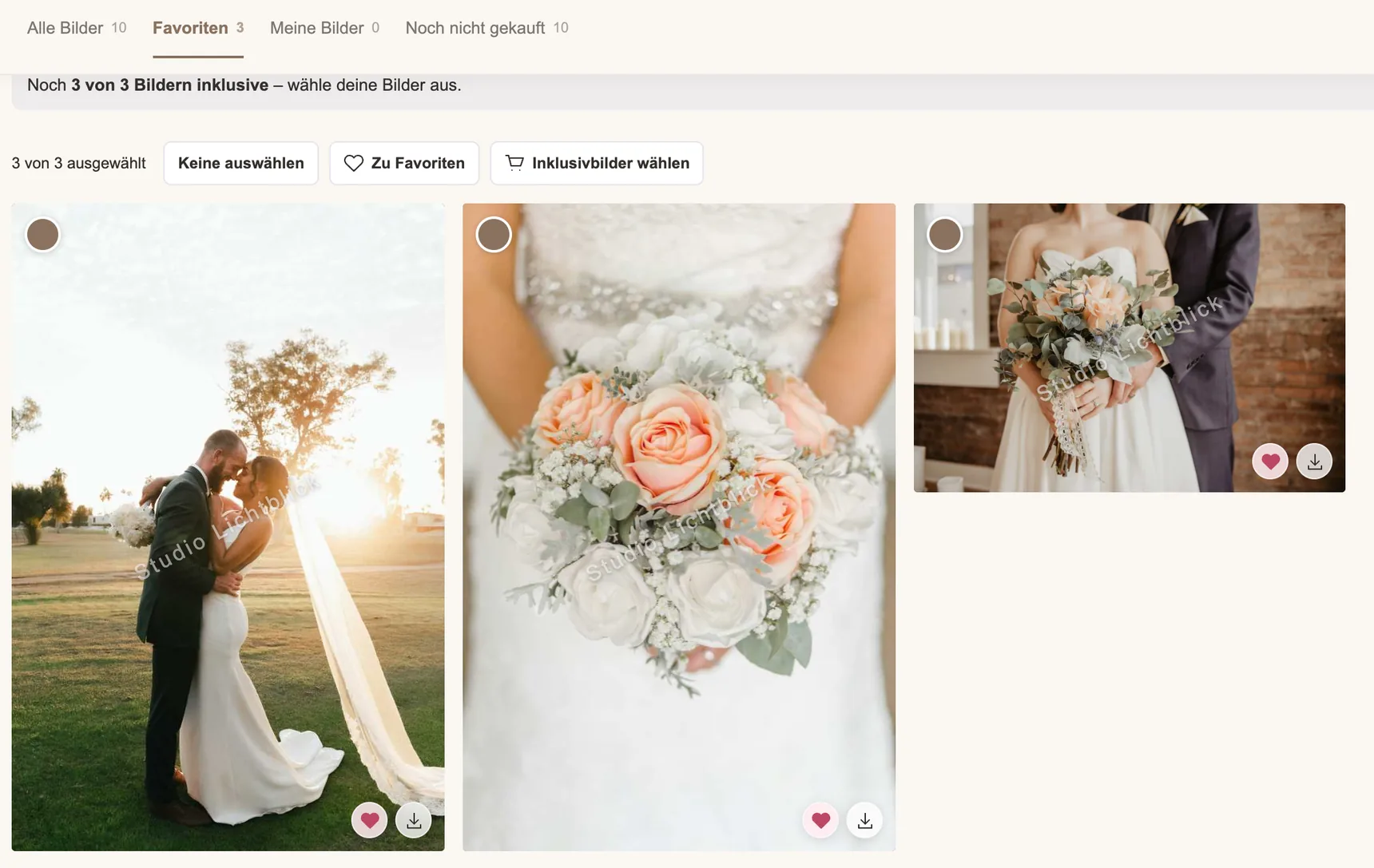
For the editing selection you use the selection and purchase gallery. Previews are lower resolution and protected by a watermark; downloads are not possible. Your client looks through the images at their own pace and marks favourites. The selection stays right next to the photos.

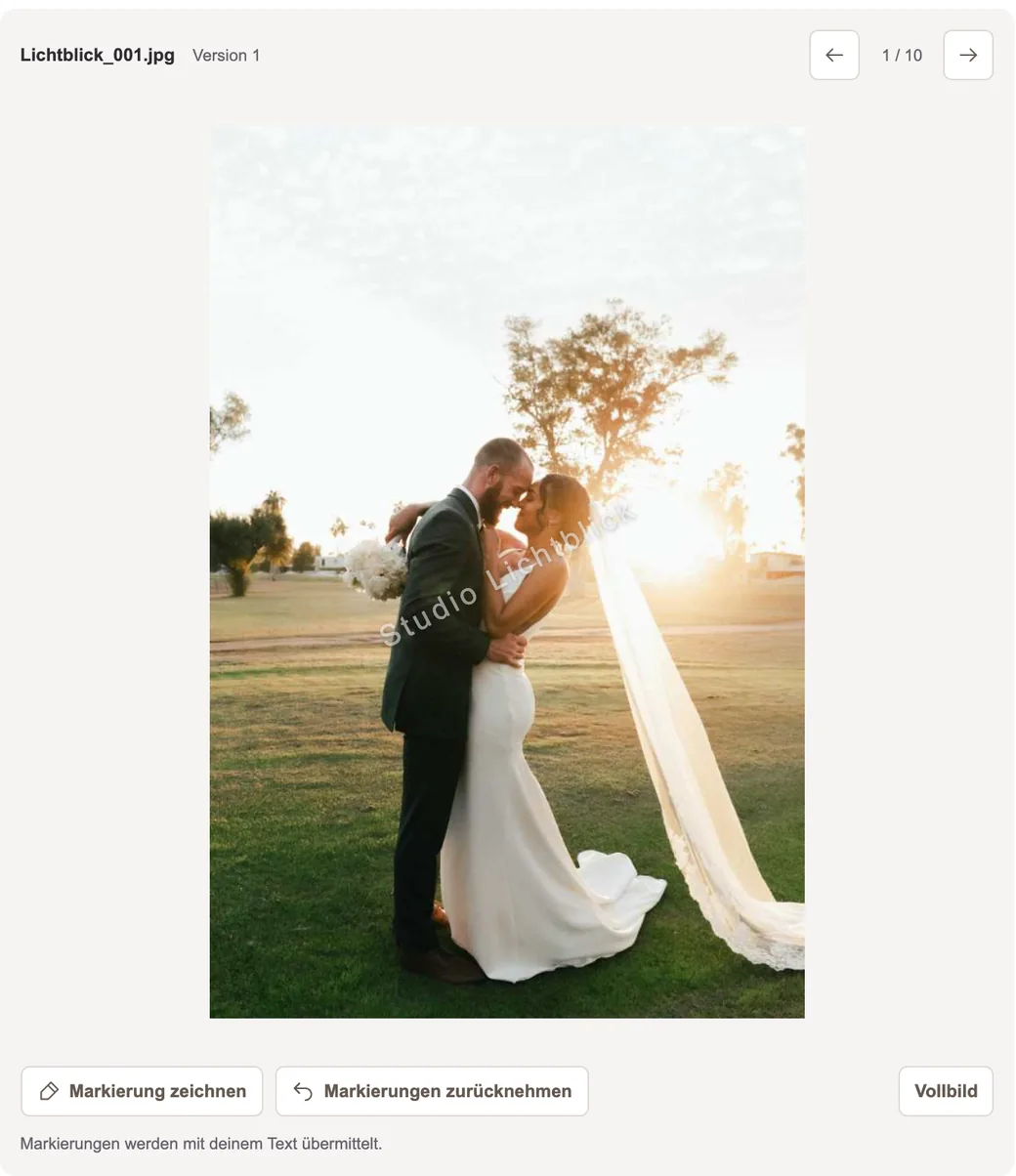
Your client leaves change requests directly on the image, so you immediately see which photo is meant and what should be edited – instead of matching file names from a message. The client pays online for the chosen images or the agreed editing work.

The selection and comments are the basis for your editing job. You edit the images, replace the previews with the finished files and send the gallery again with one click. Now your client receives the results without a watermark and in full resolution.

Image selection with three favourites, a selection counter and the action to choose included images
Marking favourites and choosing included images · sample data · interface shown in German
Image view with buttons to draw and undo markings
Marking requests right on the image · sample data · interface shown in German

The shop gallery: sell images after the photoshoot

In the shop gallery you decide whether and how many images are included in the package. Your client downloads these without a watermark in full resolution. You set your own prices for additional images, and tiered pricing lets you offer larger image packages attractively.

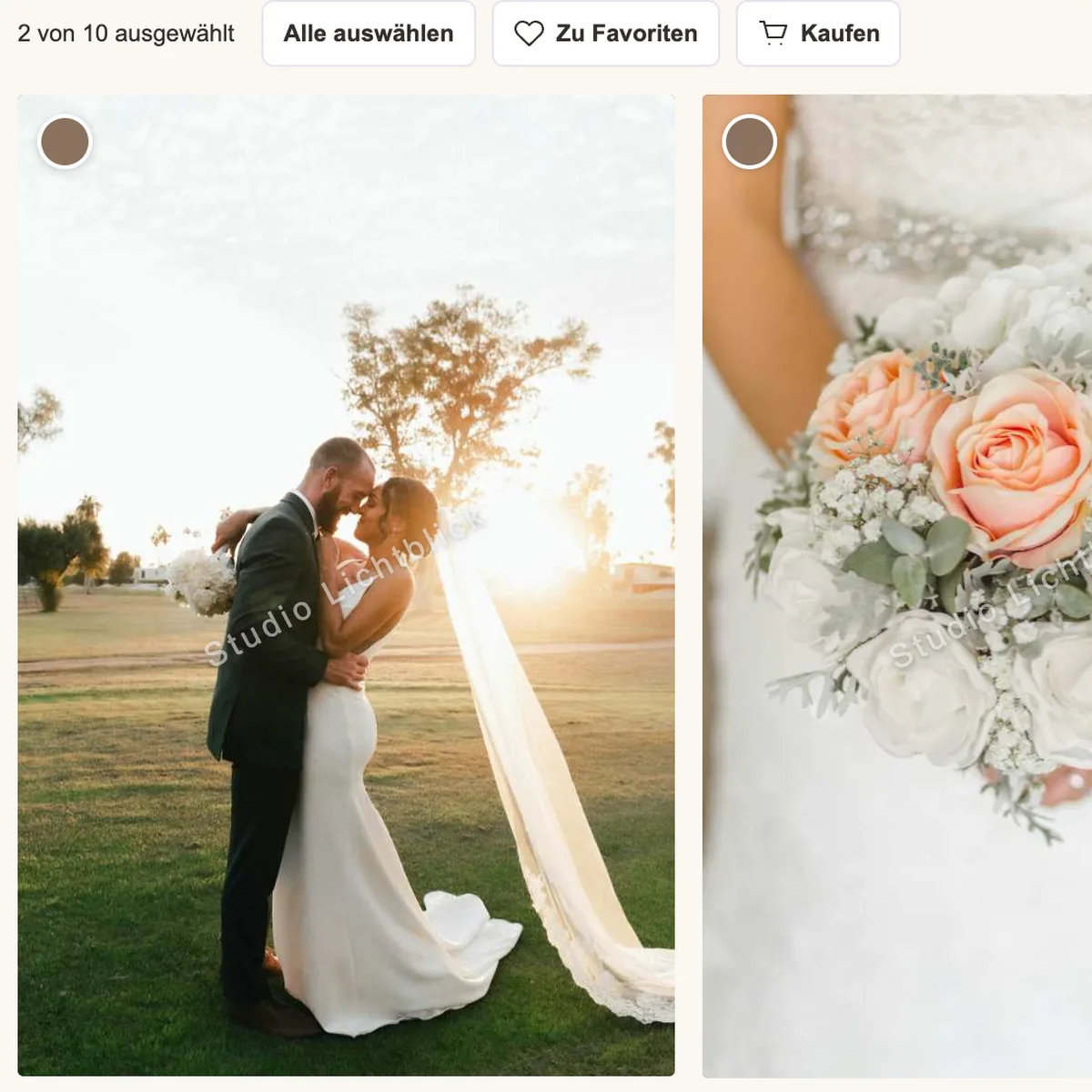
Your client makes their choice at home and buys more images online. After payment, the purchased photos are also available for download in full resolution without a watermark. While your client selects and buys, you can take care of other tasks.

How buying works for your client:

  1. Two selected images with selection counter and buy button1 · Select images
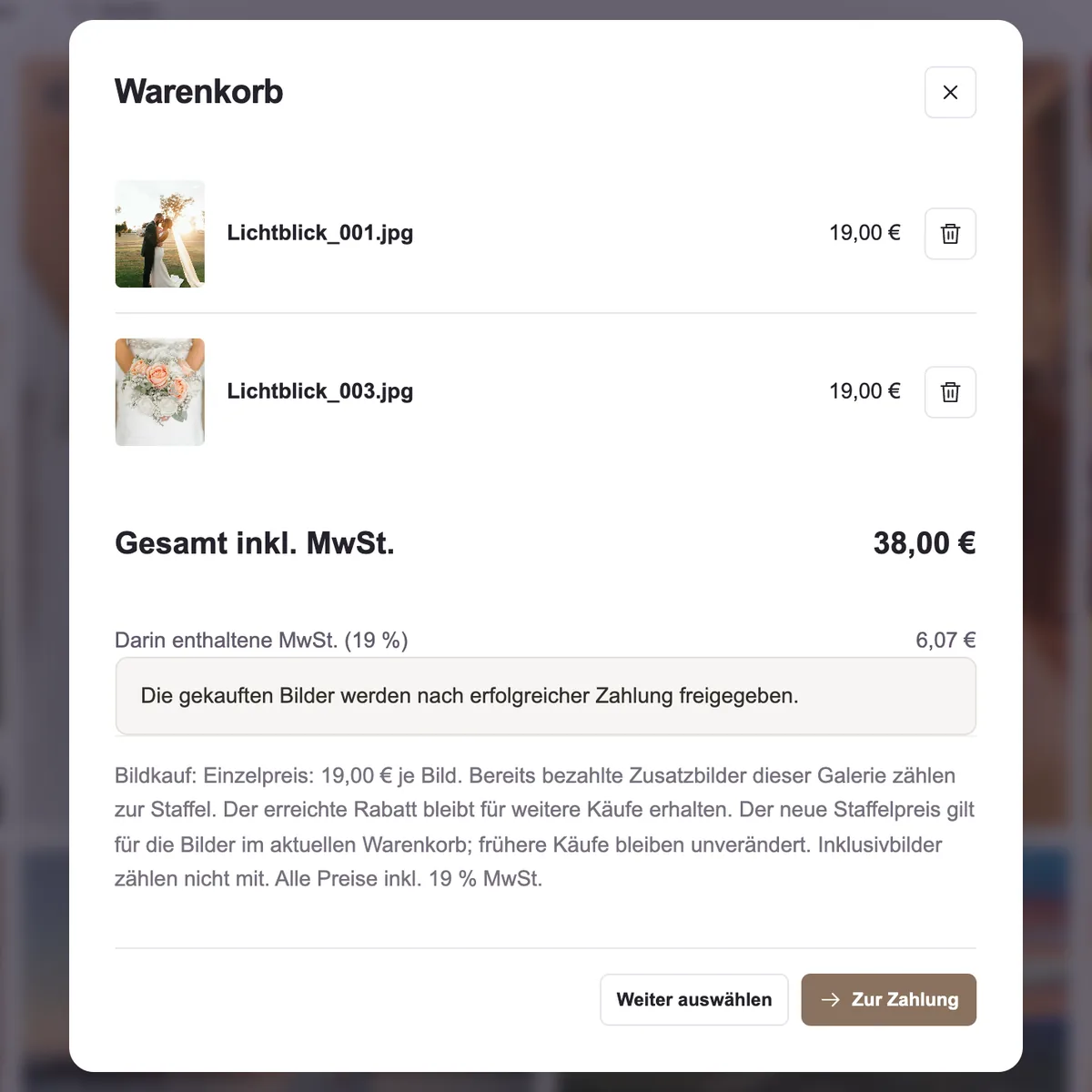
  2. Cart with two images at 19 euros each (sample prices)2 · Check the order and pay
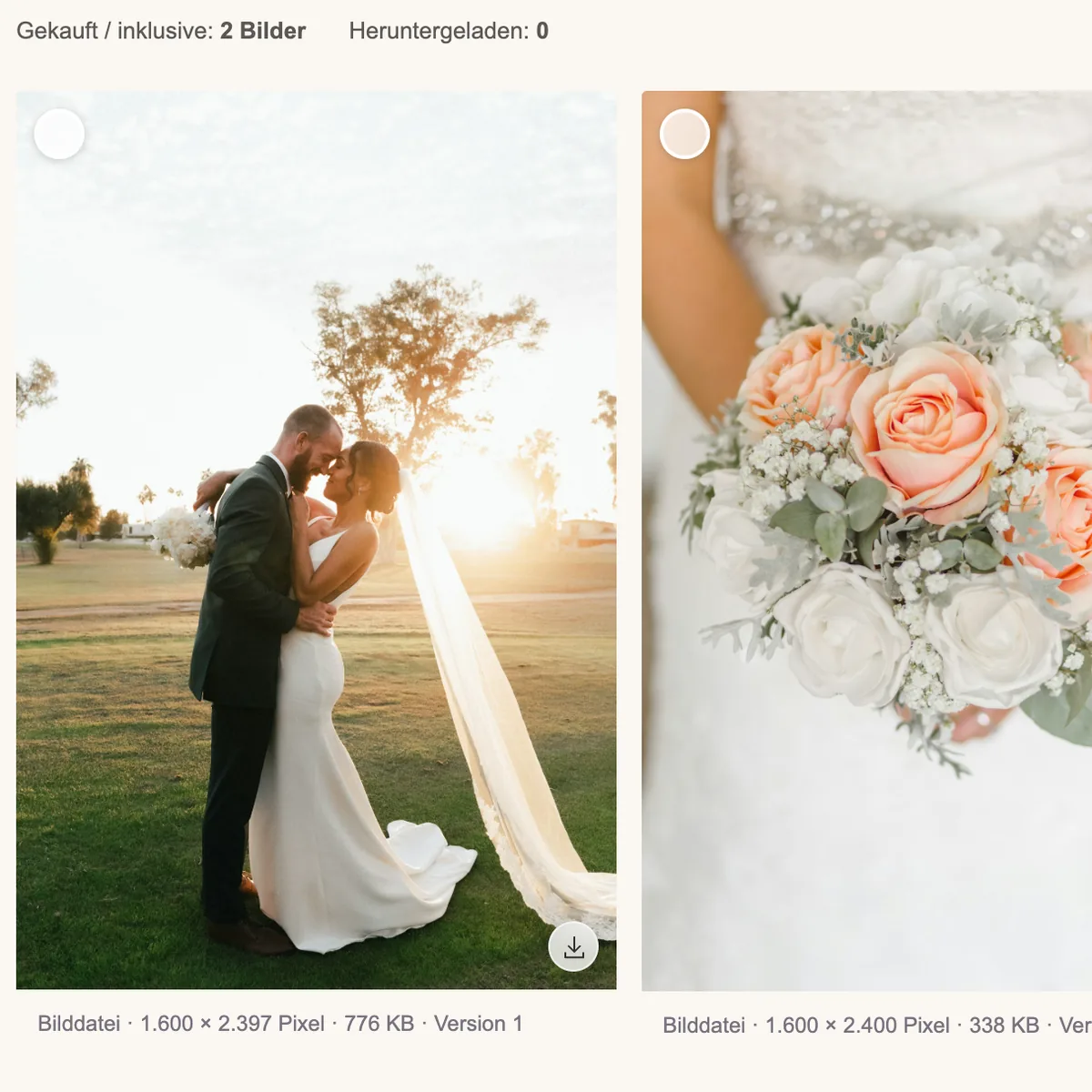
  3. “My images” area with the purchased images ready to download3 · Download the released images
The shop gallery flow · sample data and sample prices · interface shown in German

Online gallery questions.

Is the online gallery included in the price?

Yes, online galleries are part of the core CRM features in the base plan. You can try them free for 30 days. See pricing for details.

How many galleries and images can I create?

There is no separate limit on the number of clients, bookings and galleries within the 500 GB total storage. You back up your own original files independently.

Can I adapt the gallery to my studio?

Yes. You choose the theme, colours, cover image and welcome text. The gallery adapts to smartphone and laptop.

How do my clients pay?

Online via Stripe, directly in the gallery. You need your own Stripe account for this; its fees are added. ADON takes no commission on your image sales.

Can I offer included images and additional purchased images together?

In the shop gallery you decide how many images are included. For additional shots you set prices and, if you like, tiered prices. After payment, the purchased images are released for download according to the process you have set up.

Can my client leave editing requests directly on the photo?

In the selection and purchase gallery your client marks favourites and leaves change requests directly on the image in question. You edit the selected shots and then provide the finished files.

How do I protect my gallery?

You protect the gallery with a PIN. In the selection and purchase gallery and the shop gallery, previews are protected by a watermark. Your client only downloads without a watermark what is included in the package, paid for or released by you. In the delivery gallery they get the finished images directly in full resolution.

Try it with your real day-to-day work.

If it doesn't fit, you simply stop.

Try free for 30 days 

No credit card. No automatic paid subscription.

Ask a question first

Developed in Germany · CRM servers in Germany · Data processing agreement available